This is an add-on for the Pre-College framework that adds a dialogue speech bubble for your NPC. Click here to download this add-on.
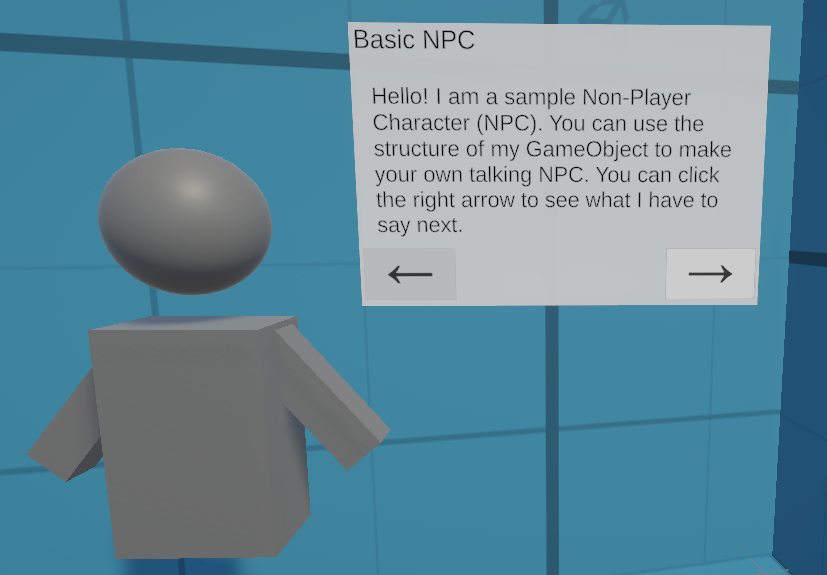
Once you’ve installed the unity package, simply drag the prefab Basic NPC with Speech Bubble located in Assets/Pre-College/Prefabs/Basic NPC and replace the NPC’s model with that of your own NPC.
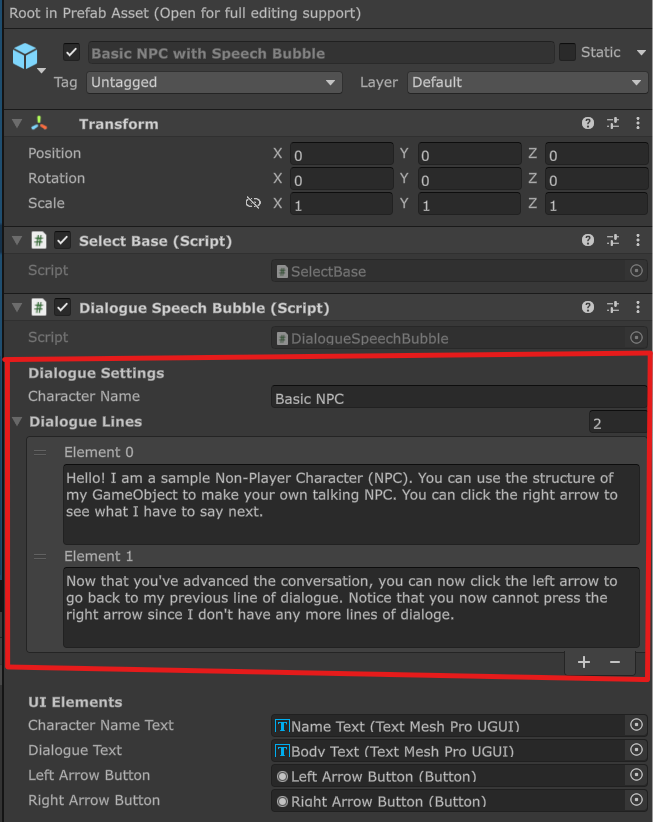
Then, to change the dialogue and the NPC name, simply edit the Dialogue Speech Bubble component in the parent GameObject of that prefab:
Leave a Reply