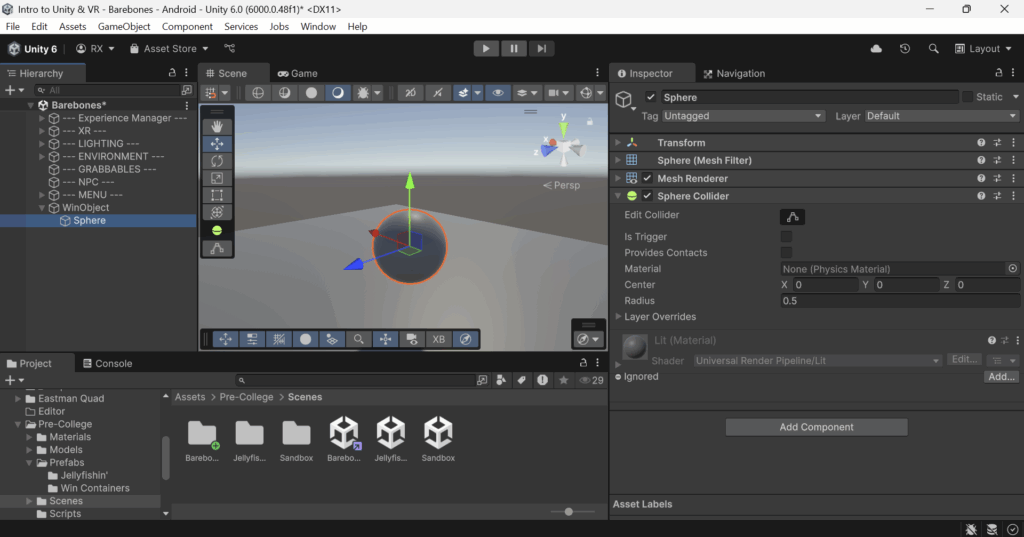
Step 1: Make an empty GameObject to hold your Win Object‘s model.
- Create a new empty
GameObject(I’m going to name mineWinObject). - Add the model you would like to use as a child object (I’m going to just be using a
Sphere).
Step 2: Make your Win Object grabbable.
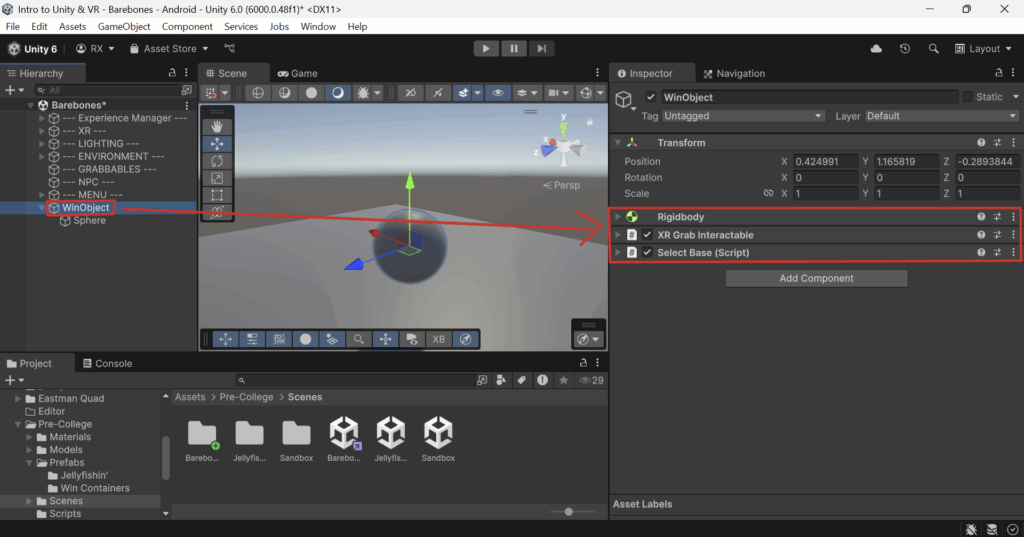
- In the parent
GameObject, add theRigidbodyandXR Grab Interactablecomponents- Configure these components however you would like.
- DO NOT place a
Collideron the parentGameObject. Place theCollider(s)on your childGameObjectthat contains the model.
(Optional, but recommended) Add the Select Base component to your parent GameObject.
This is a component that simply prioritizes selecting the object it is attached to when clicking on an object in the Scene View. With this component attached to your parent GameObject, when you click on its child model, it will select the parent GameObject rather than the model’s GameObject.
Step 3: Add and configure the Win Object component to which ever object contains your Collider.
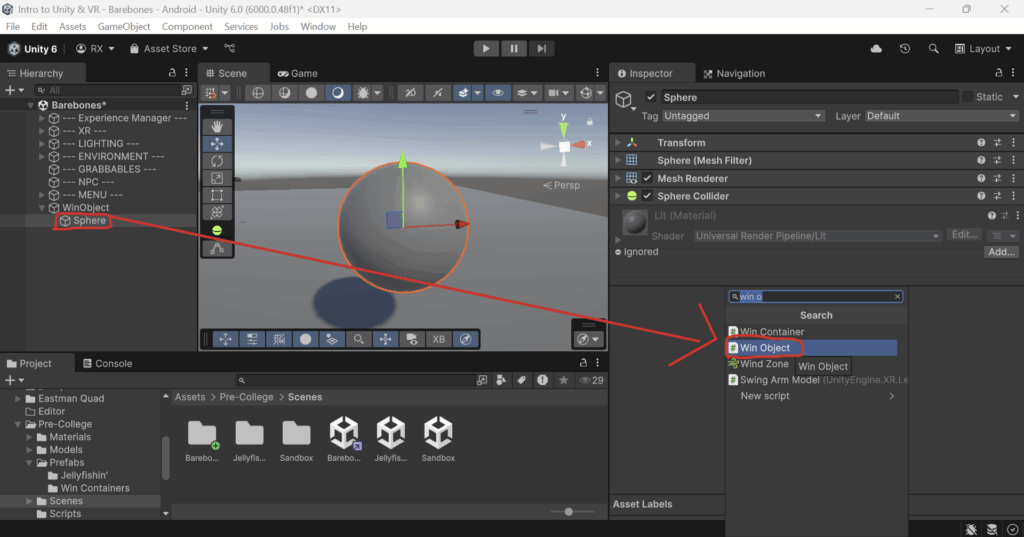
- Select the object that holds your
Collider. For me, this is my sphere. - Add the
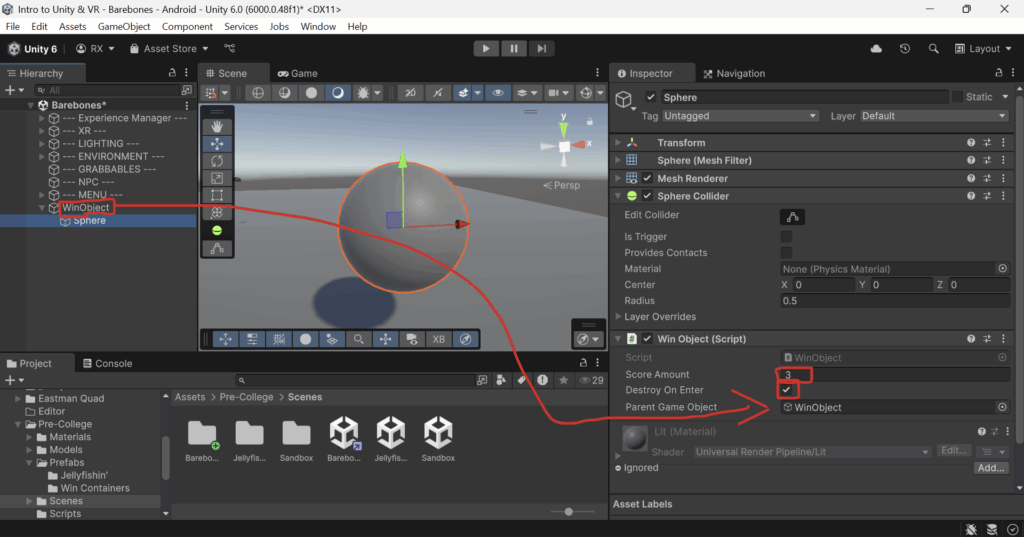
Win Objectcomponent in theInspector Window. - Configure the values to your liking.
Score Amountlets you change the score value that theWin Objectwill give the player when it is placed in aWin Container.Destroy On Enter: If this is enabled, then theWin Objectwill be deleted from the game once it enters theWin Container. This is how the jellyfish inJellyfishin'work.- If
Destroy On Enteris enabled, then you must assign theParent Game Objectvariable to the parentGameObjectof theWin Object.
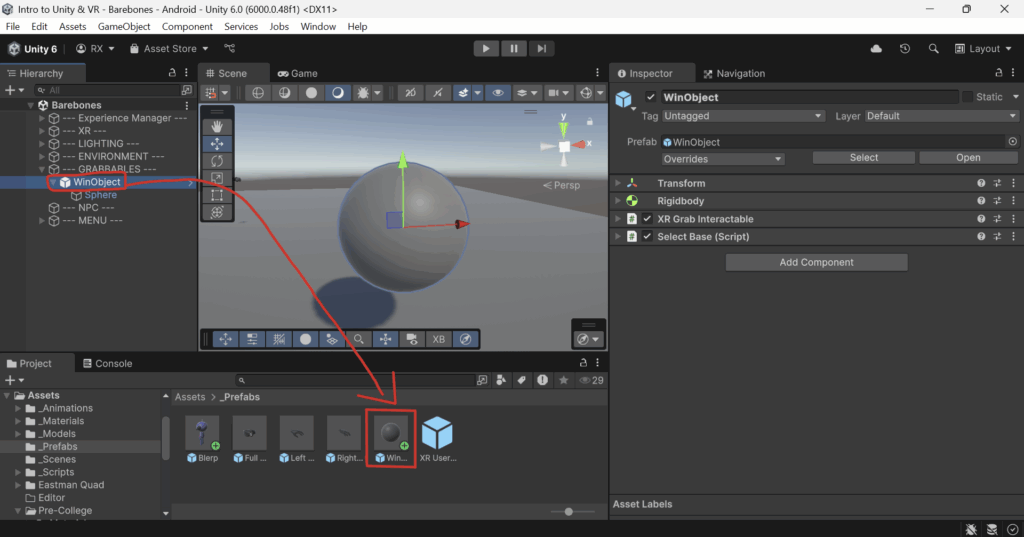
Step 4: Save your Win Object as a Prefab.
- Move your
Win Objectto the--- GRABBABLES ---folder for organization. - Drag the parent
GameObjectof yourWin Objectfrom theHierarchyinto theProject Windowin theAssets/_Prefabsfolder.
Next Steps: